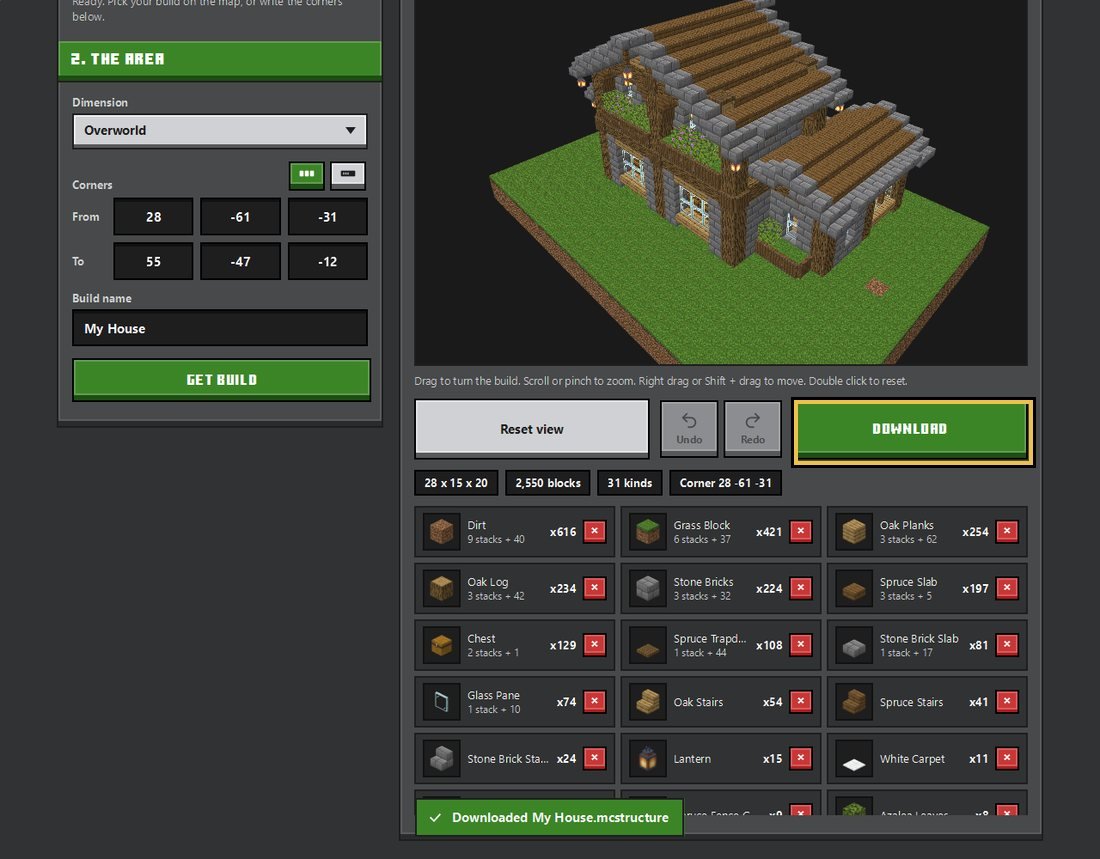
Take any build out of your Bedrock world as a .mcstructure file.
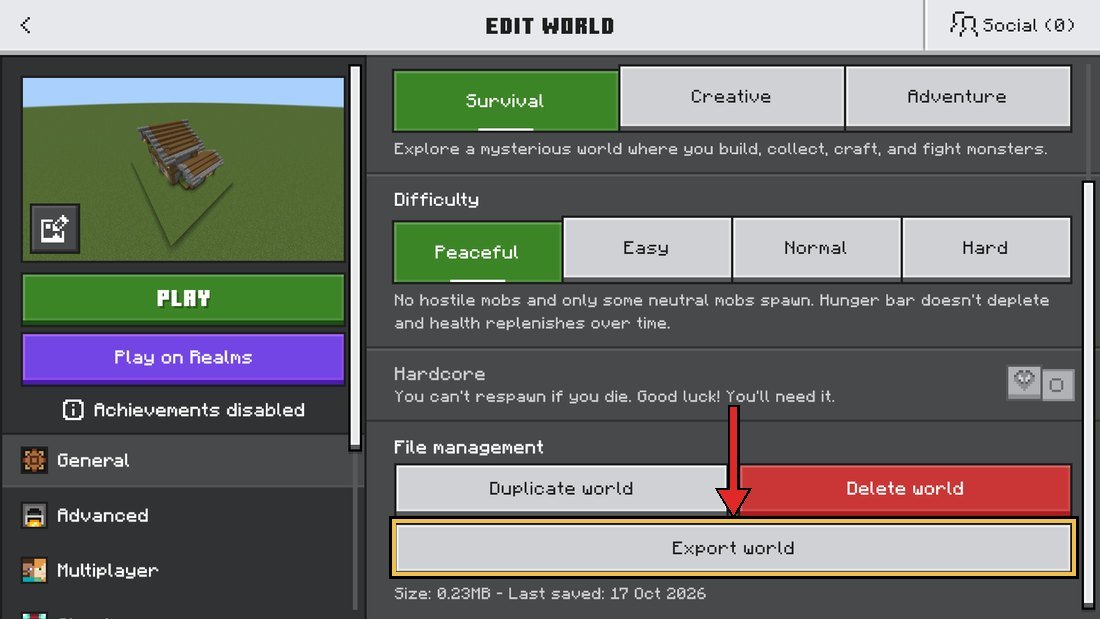
In the game, open your world settings and press Export World to get the .mcworld file.
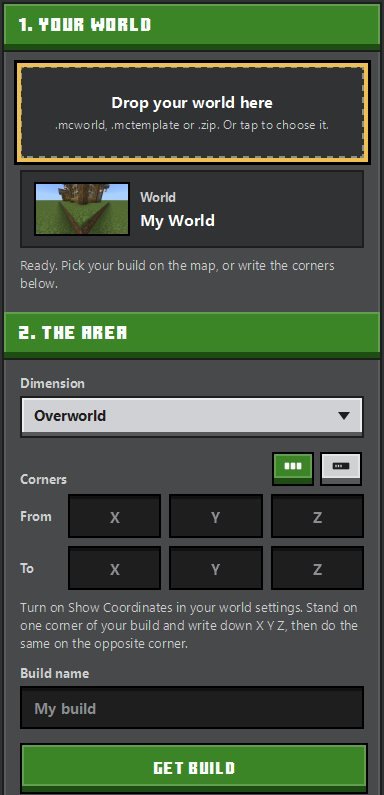
Turn on Show Coordinates in your world settings. Stand on one corner of your build and write down X Y Z, then do the same on the opposite corner.
Your build shows up here.
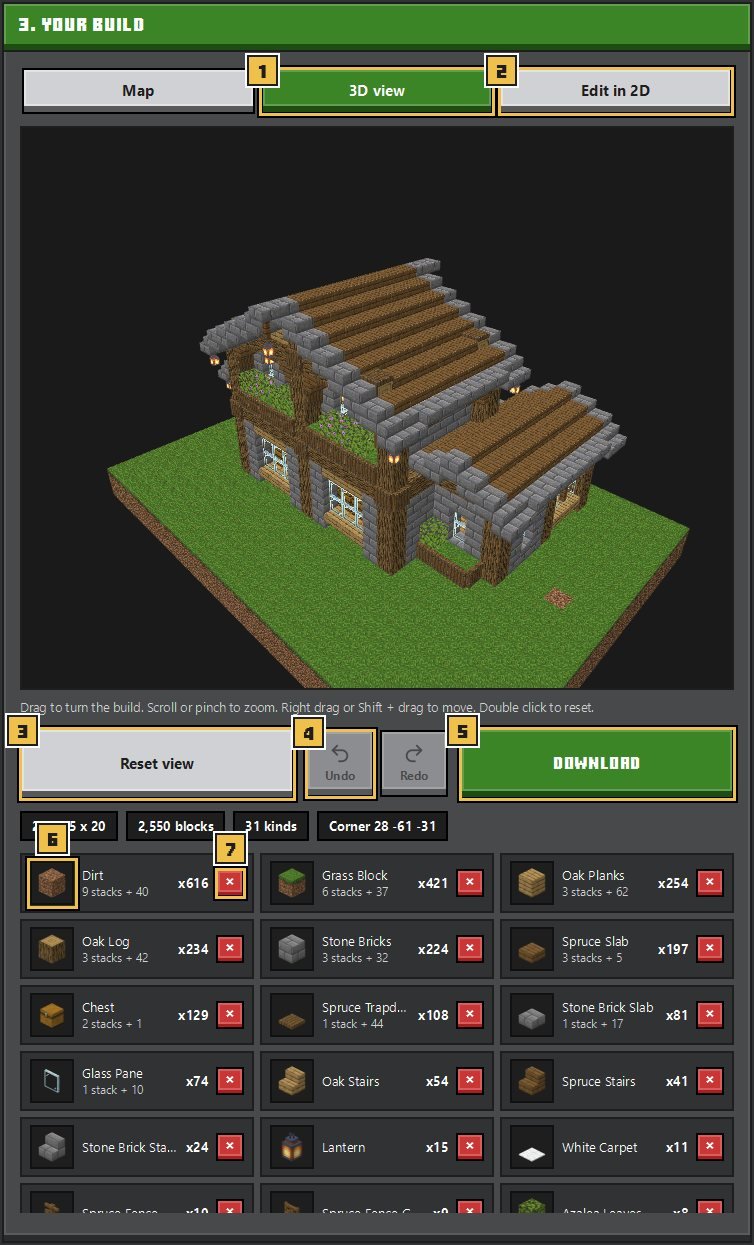
Drag to turn the build. Scroll or pinch to zoom. Right drag or Shift + drag to move. Double click to reset.
Move Bottom and Top to cut layers. Tap a block in the list to remove it from the build, tap it again to bring it back.
Getting a build out of your world only takes a few steps. And don't worry, your world never leaves your device.
Open Minecraft, go to your world's settings, scroll down and hit Export world. You get a .mcworld file.
A .mctemplate or a zipped world folder works too.
Drag the file into the World box, or tap the box to pick it. Your world's map pops up on the right.
On the map, hit Select area and drag a box over your build. That's it, the numbers fill in by themselves!
Rather type them? Turn on Show Coordinates in the game. Stand on one corner of your build and note the X Y Z. Then do the same on the opposite corner.
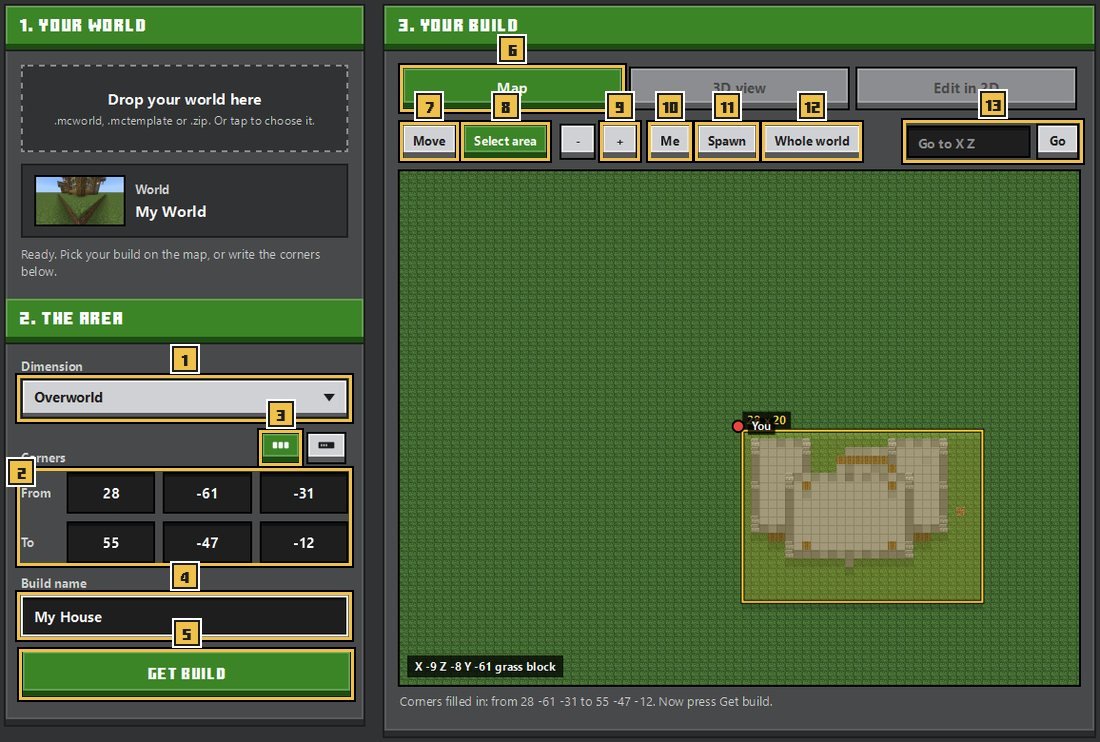
Hit Get build and spin it around in 3D view. Want to swap or remove a block? Use the block list under it.
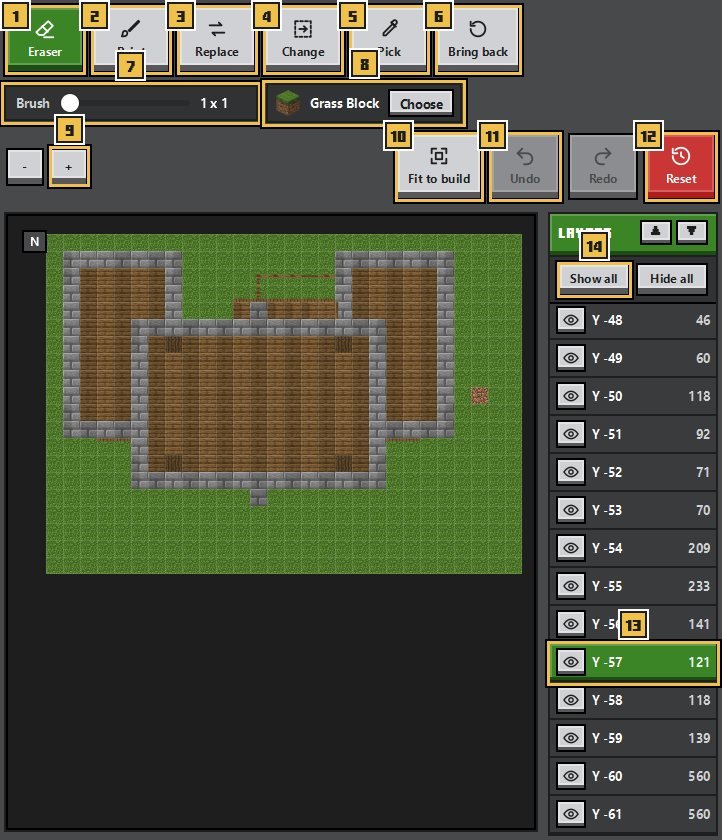
Go to Edit in 2D to fix things one layer at a time. Erase, paint or swap blocks. Fit to build cuts off the empty space. Messed up? Just hit Undo.
Name your build and hit Download. You get a .mcstructure file.
Load it in the game with a structure block, or put it in a Buildmatica builds pack.