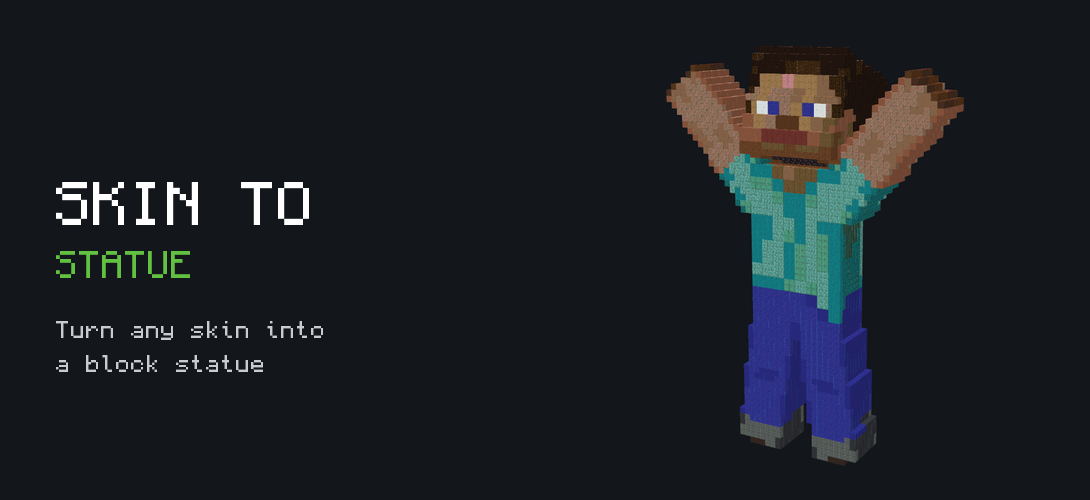
A statue of your own character is one of the coolest things you can build in Minecraft, but doing it by hand takes hours of counting pixels. My Skin to Statue tool does the hard part for you. You give it a skin, pick a pose, and it turns the skin into a block statue you can place in your world. You can even put two statues together, like a high five or a hug.
Step 1: Add your skin
There are three ways to get a skin in:
- Drop a .png skin file into the box, or tap the box to choose it.
- Load a player's skin by typing a player name or a Bedrock gamertag. Bedrock skins come from GeyserMC, so they only work if the player has joined a server that uses GeyserMC at least once. If that fails, save the skin as a .png and drop it in.
- Pick Classic or Slim arms so the statue matches the skin.
Step 2: Pick a size and a pose
Choose a full body statue or just the head. Then pick a size, from Normal (32 blocks tall) all the way to Titan (256 blocks tall). Bigger statues show more detail but need more blocks.
There are lots of poses to choose from: standing, walking, sitting, waving, saluting, sword swing, dab, heart hands and many more. With Edit pose you can move each part yourself. If you have two statues, the group poses like Holding hands, High five, Back to back and Selfie set up both at once.
Step 3: Armor, items and blocks
- Add armor for the head, chest, legs and feet, and put an item in the main hand or the off hand.
- Choose if the outer layer of the skin is 3D, flat or off, and if the inside is hollow or solid. Hollow saves a lot of blocks.
- Turn on Survival friendly to only use blocks that are easy to get in Survival. It skips diamond, emerald, netherite, gold and other rare blocks.
The preview shows your statue in 3D. If posing feels slow, switch the preview to Model. Your statue is still built with blocks when you download it.
Step 4: Download and place it
Give the statue a name and download it as a .mcstructure file or a .mcpack. Load the .mcstructure with a structure block set to Load. If the statue is wider than 64 blocks, a structure block cannot load it, so use the .mcpack and the command the tool gives you.
The Blocks you need list tells you exactly what to collect if you want to build it in Survival.
Build it in Survival with Buildmatica
Want to build the statue block by block? Press Open in Buildmatica and the statue loads there as a build. Then follow my Buildmatica guide to see it as a hologram in your world.
Templates
Open the Templates tab to use poses that other players made. Your own skin shows on every template, and the items and pose come with it. If you make a pose you like, you can publish it for others. Your skin is never shared, only the pose.