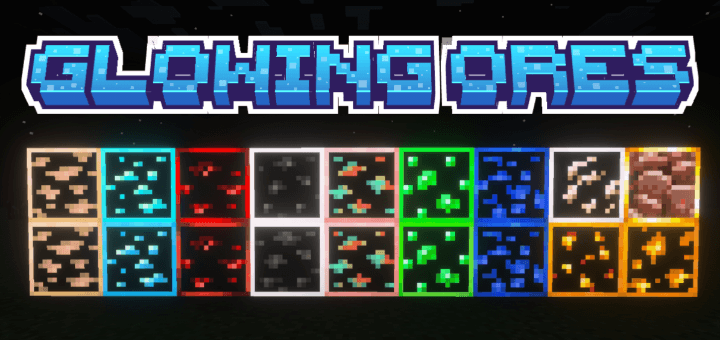
Vibrant Visuals is the newer graphics mode in Minecraft Bedrock. It adds real-looking light and shadows, light shafts through leaves, better water and fog, and shiny or rough surfaces on blocks. It is built into the game, so you do not need shaders or a special app. It also lets texture packs do things that were not possible before, like ores that glow for real.
How to turn it on
- Go to Settings and open Video.
- Find Graphics Mode.
- Choose Vibrant Visuals.
If you do not see the option, your device does not support it yet. Mojang keeps adding more devices, so updating the game can help.

Packs that need it
Some packs use the new lighting system, so they only work with Vibrant Visuals on. Among my packs:
- Glowing Ores makes ores glow in the dark.
- Glow Xray shows glowing ores through see-through blocks.
- Full Bright removes darkness in caves and at night.
If one of these packs seems to do nothing, Vibrant Visuals is almost always the reason. Read more in best packs to find ores.
Better performance
Vibrant Visuals is heavier than the normal look. If your game feels slow:
- Lower Render Distance. It makes the biggest difference.
- Lower the Vibrant Visuals quality options in the video settings.
- Close other apps, and on phones keep the battery saver off while you play.
Vibrant Visuals on servers and Realms
Vibrant Visuals is a setting on your device, so you can use it anywhere, including servers and Realms. Packs a server sends you still load above your own, so some of your packs may look different there.
Turning it off again
Go back to Settings > Video > Graphics Mode and pick the normal mode. Nothing in your worlds changes, only how they look.